How do podcasters change their accent after recording?
Accent Changer Team

In post-production. Most podcasters do not re-record entire episodes when they want clearer delivery for a wider audience. They export the spoken track, run it through a speech-to-speech accent converter, and drop the adjusted audio back into their editor. The episode you already recorded stays the same — only pronunciation shifts toward American, British, Australian, or another target profile.
That workflow matters because podcast audio is long, personal, and expensive to redo. A host who sounds like themselves on mic but wants a more neutral US delivery for sponsors or international listeners can fix that in minutes, not hours — the same identity-preserving approach speech-to-speech tools are built for.
Why podcasters adjust accent after the fact
Common reasons show up in editing bays more often than in coaching sessions:
- Audience expansion — a show recorded in one English variety needs to land with listeners in another market
- Sponsor reads — ad copy that must sound crisp and familiar to US buyers
- Guest intros — short clips where clarity beats authenticity of regional vowels
- Repurposing — turning one interview into a US-facing clip for social without a second session
None of these require a new microphone session. They require converting the file you already have — see accent converter for podcasts without TTS for why that beats re-scripting with a narrator.
Speech-to-speech vs re-recording vs TTS
| Approach | Keeps your voice? | Time cost | Best for |
|---|---|---|---|
| Re-record the episode | Yes | Hours | When content itself changed |
| Text-to-speech narrator | No | Medium | Scripts written from scratch |
| Speech-to-speech accent conversion | Yes (goal) | Minutes | Finished podcast audio |
If you searched for an audio accent changer and found a voice library, you are in the wrong category. Podcast hosts need their timbre and pacing — not a stock narrator reading a transcript.
The practical workflow
accentchanger.com fits this stack: upload or record in the browser, pick a target accent, preview, download MP3, and import into Audacity, Descript, Hindenburg, or your DAW of choice.
Step 1: Export clean speech
Pull the host track without music beds if possible. Room noise and heavy compression make any AI work harder. A WAV or high-bitrate MP3 from your editor is ideal.
Step 2: Convert the accent
Choose American, British, or another English profile. Speech-to-speech keeps your words and timing; it reshapes vowels and consonants toward the target.
Step 3: Re-align in your editor
Replace the original host stem or blend converted sections into the mix. Level-match so the new clip sits at the same loudness as the rest of the episode.
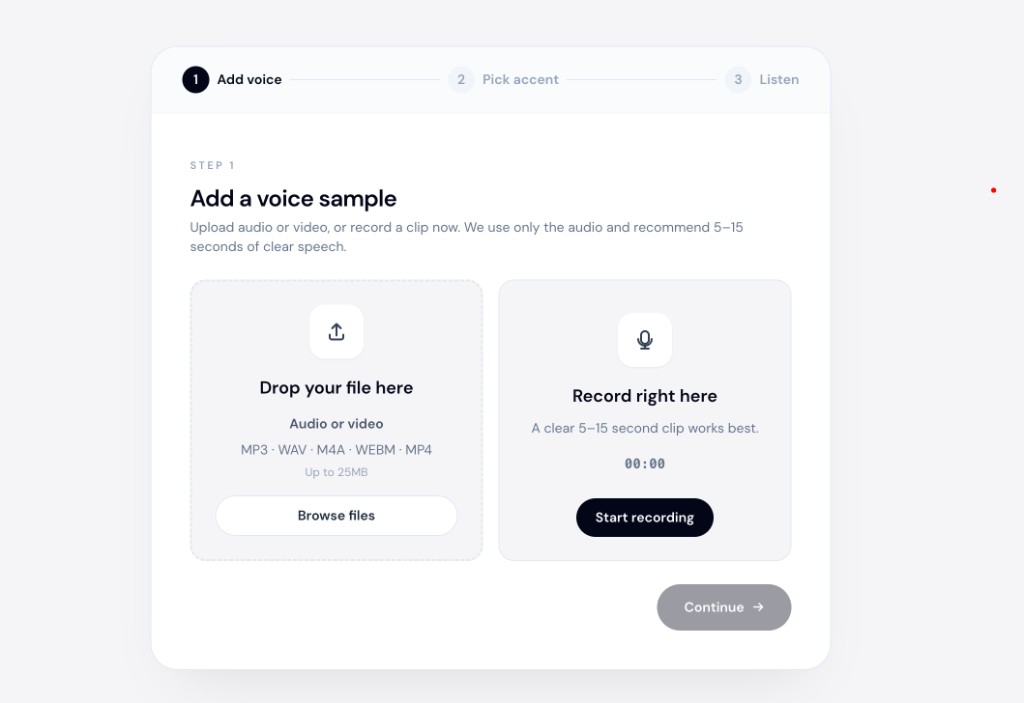
The online accent changer at accentchanger.com runs in the browser — useful when you want a quick test on a 60-second clip before committing to a full episode.
What to expect — and what not to
Expect: faster turnaround than scheduling a re-record, especially for intros, outros, and sponsor segments.
Do not expect: live conversion during a Riverside or Zoom recording. This is file-based post-production, not a real-time call filter.
Avoid: sending the entire episode through conversion when only one segment needs it. Split the file, convert the slice, and splice it back — see change accent on only part of a podcast episode for that workflow.
Bottom line
Podcasters change accent after recording by exporting speech, converting it with speech-to-speech AI, and re-importing into their edit. You keep your voice identity without booking another session.
For a quick test, open accentchanger.com, upload a short clip from your latest episode, and compare before and after. If you want the broader identity question answered first, start with change accent and keep your voice.