Can I change the accent on a video without re-recording my voiceover?
Accent Changer Team

Yes. You can change the accent on a video without re-recording your voiceover by converting the speech track with a speech-to-speech accent tool, then syncing the new audio back to your footage. The AI reshapes pronunciation while keeping your timbre, pacing, and emotional delivery — you are not hiring a narrator or re-reading the script.
This is post-production work: upload the file, convert, download, and drop the new audio into your editor. No studio session required.
How video accent conversion works
Most accent changers process the audio layer, not the pixels. The workflow:
- Upload your video (or export the audio track separately)
- The tool extracts speech and converts the accent
- You download the adjusted audio — or a new video with replaced audio
- Import into Premiere, DaVinci, CapCut, or iMovie if you need manual sync
Because timing is preserved from your original take, lip-sync usually stays close — especially for talking-head or screen-recording content where the speaker's mouth matches the original pacing. For a deeper look at identity preservation, see AI accent changer that keeps your real voice.
Why re-recording is usually unnecessary
Re-recording costs time and often changes performance. You might nail the energy on take three but stumble on take twelve. Accent conversion lets you keep the take you liked and adjust only how it sounds to a target audience.
Common use cases:
- YouTube tutorials aimed at US viewers but recorded in British English
- Course modules that need a neutral American delivery
- Client demos where clarity matters more than accent identity
- Internal training videos adapted for a regional office
For YouTube specifically, see app that softens accent for YouTube videos.
The goal is to change accent and keep your voice — same performance, clearer pronunciation for the target audience.
What to use (and what to skip)
| Approach | Re-record? | Keeps your voice? |
|---|---|---|
| Speech-to-speech accent conversion | No | Yes |
| Text-to-speech replacement | No, but re-script | No — new narrator |
| Re-voicing with a voice actor | Yes (or hire out) | No |
| Live voice changer filter | No | Often unnatural |
Use a speech accent changer that accepts video uploads — not a TTS tool that asks you to paste a transcript.
Try it with accentchanger.com
accentchanger.com accepts common video formats alongside audio files. Upload your clip, pick a target accent, preview, and download.
Step-by-step
- Export or upload your video with the voiceover you want to keep
- Choose American, British, Australian, or another English profile
- Preview — confirm it still sounds like you, just clearer for the target audience
- Download and replace the audio track in your editor
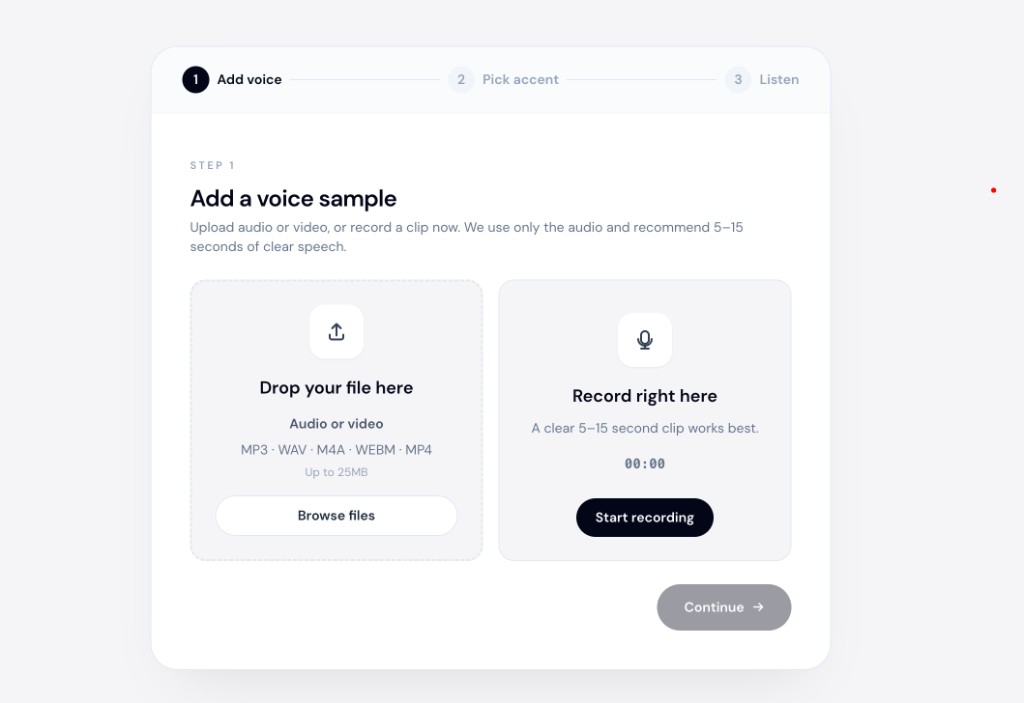
The online accent changer runs in the browser — useful when you want a quick test on a short clip before processing a full video.
Practical tips
- Test a 30-second segment first — judge quality before committing to a full video
- Keep background music separate if possible — music on the speech track makes conversion harder
- Check sync after import — minor drift can happen on long clips; nudge audio in your editor if needed
- Avoid noisy source — room echo and compression artifacts reduce output quality
Bottom line
You do not need to re-record to change accent on a video. Upload your file, convert the speech track with speech-to-speech AI, and swap the audio in your editor. Your performance stays; only pronunciation shifts.
Open accentchanger.com with a short clip to compare before and after.