Is there an app that softens my accent for YouTube videos?
Accent Changer Team

Yes. The most practical option for YouTube creators is a browser-based speech-to-speech accent converter — upload your voiceover or video, pick a target accent (often American or neutral British), and download softened audio without re-recording. No app store install required.
"Soften" here means shifting pronunciation toward a clearer, more widely understood English profile — not erasing your personality or replacing you with a synthetic narrator.
What "soften my accent" means for YouTube
YouTube audiences are global. A strong regional accent can be charming — or it can reduce clarity for viewers who learned English in a different dialect. Softening usually means:
- Clearer vowel shapes for your target audience
- Smoother consonant delivery
- More familiar intonation patterns (often US or neutral British)
- Same voice, same script, same energy — just easier to follow
This is not accent erasure for its own sake. It is a production choice when reach and clarity matter for tutorials, reviews, vlogs, or educational content.
Why speech-to-speech beats other options
| Option | Re-record? | Sounds like you? | Good for YouTube? |
|---|---|---|---|
| Speech-to-speech accent converter | No | Yes | Best fit |
| TTS narrator | No (re-script) | No | Wrong tool |
| Pitch/speed filters | No | Distorted | Poor quality |
| Re-shoot the video | Yes | Yes | Time-consuming |
A voice accent changer marketed for YouTube might actually be TTS — check whether you upload audio or type text.
Workflow for YouTube creators
accentchanger.com runs in the browser — no separate app to install:
- Record your voiceover as usual (or export audio from your edited video)
- Upload to accentchanger.com
- Select American, British, Australian, or another English profile
- Preview — confirm it still sounds like your channel
- Download and replace the audio track in Premiere, DaVinci, CapCut, or your editor
For full videos, you can upload the video file directly — the speech track is what gets converted. See change video accent without re-recording for the sync workflow.
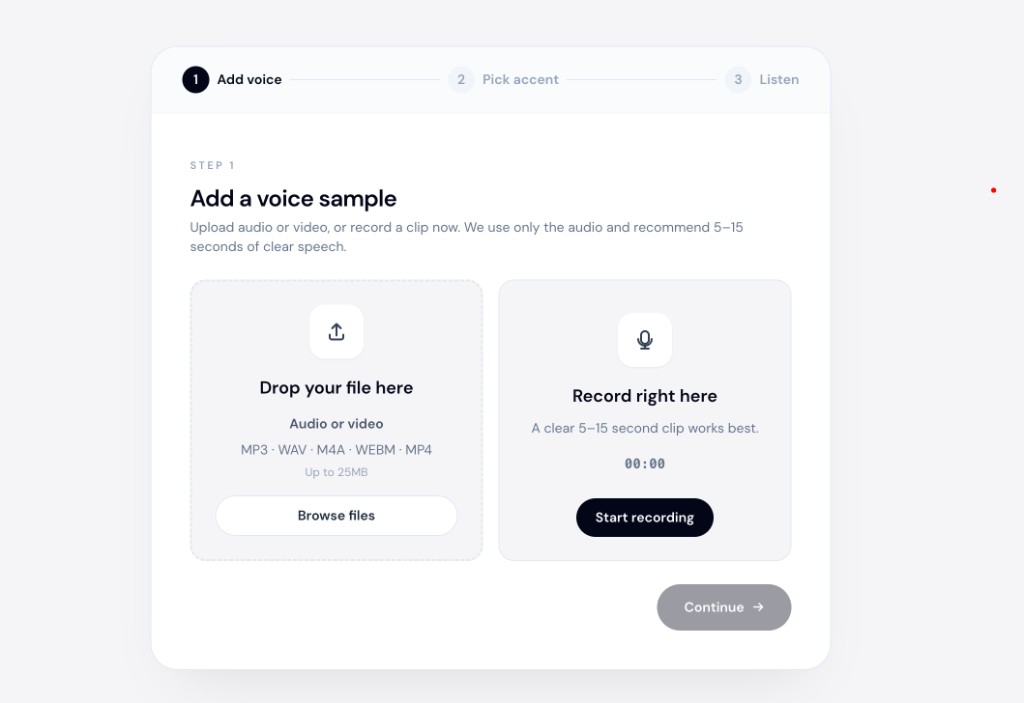
The accent changer online workflow is the same on desktop and mobile browsers.
Tips for YouTube-specific quality
- Process voice before adding music — convert the dry voice track, then mix B-roll and background audio in your editor
- Test a 30-second clip before converting a 15-minute tutorial
- Keep your channel consistency — use the same target accent across episodes
- A/B listen — play original and converted versions for a friend in your target audience
Softening vs changing accent entirely
"Soften" often means a subtle shift — not a full jump from one national accent to another. Start with a moderate target and preview. Aggressive conversion can sound processed; a lighter touch usually fits YouTube's conversational tone better.
If you need a full British-to-American shift, see can AI turn British accent into American.
Bottom line
You do not need a separate app store download to soften your accent for YouTube. Use a speech-to-speech accent converter in the browser: upload your voiceover, pick a target accent, preview, and drop the new audio into your edit.
Try accentchanger.com on your next intro.
For more on the category, visit the AI accent changer overview.
If you want a broader accent-reduction context, see the accent reduction tool page.