How can I make my Spanish-accented English sound more native in a recorded clip?
Accent Changer Team

Upload your recorded clip to a speech-to-speech accent converter, select a target English profile (often American or British), and download the adjusted audio. The AI shifts pronunciation patterns common in Spanish-accented English — vowel shapes, consonant clarity, stress, and rhythm — toward a more native-sounding delivery while keeping your timbre and the exact words you spoke.
You are not re-recording, not translating, and not replacing yourself with a text-to-speech narrator. The change accent and keep your voice workflow is built around that constraint.
What "more native" means here
Spanish-accented English is fully intelligible English — but listeners trained on American or British media may notice differences in:
- Vowel quality — "ship" vs "sheep," "bit" vs "beat"
- Consonant patterns — "v" vs "b," initial "s" clusters, final consonant release
- Syllable timing — Spanish is more syllable-timed; English is more stress-timed
- Intonation — pitch movement toward the target dialect
"More native" in a recorded clip means moving these patterns closer to your chosen target — not pretending to be a different person.
Speech-to-speech vs re-recording or coaching
| Approach | Works on existing clip? | Keeps your voice? | Speed |
|---|---|---|---|
| Speech-to-speech AI | Yes | Yes | Minutes |
| Re-record the clip | No — new take | Yes | Hours |
| Accent coaching | No — live practice | Yes | Weeks/months |
| TTS from transcript | Yes, but re-script | No | Minutes |
For a one-off polish pass on content you already filmed or recorded, speech-to-speech is the fastest path. Long-term improvement still benefits from practice — but you do not need to wait to ship a video.
Step-by-step
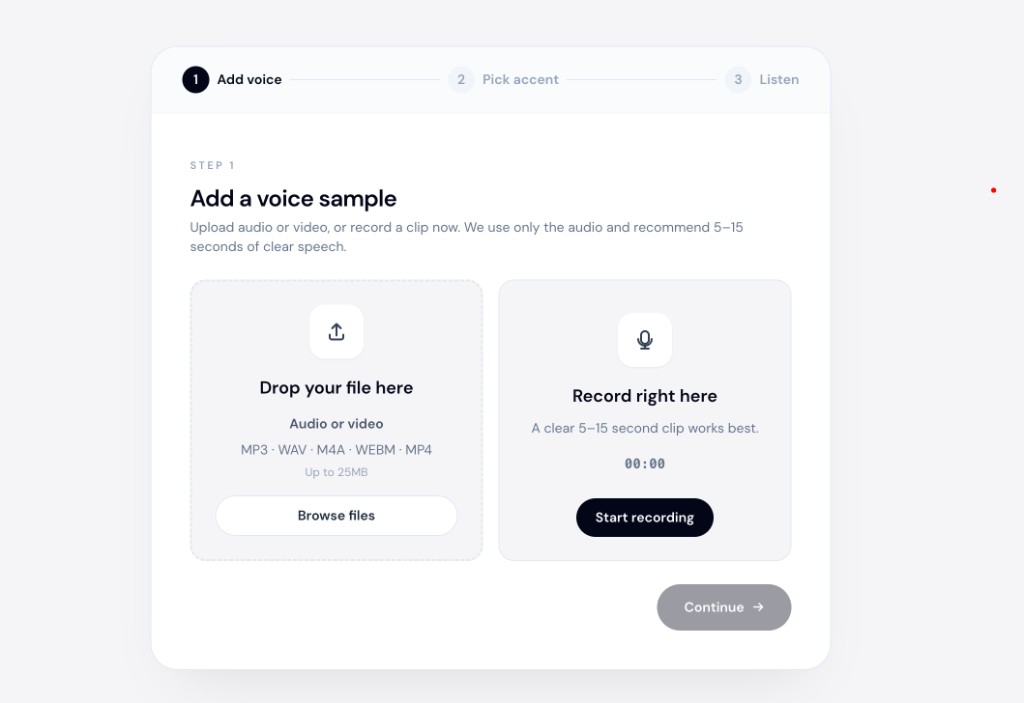
accentchanger.com handles Spanish accent to American accent conversion (and British targets) in the browser:
- Record or upload your clip — 30–90 seconds is enough for a quality test
- Choose American English or British English as the target
- Preview — you should still recognize yourself, with clearer target-dialect delivery
- Download MP3 and drop into your video, podcast, or presentation
Tips for better output
- Record in a quiet room with a decent mic
- Speak naturally — rushed or mumbled audio converts poorly
- Process the dry voice track before adding music in your editor
- Compare on headphones — subtle shifts are easier to judge
For Indian English toward American, see Indian English to American with AI.
For YouTube workflows, see soften accent for YouTube videos.
What this is not
- Not Spanish-to-English translation — same English words, different pronunciation
- Not TTS — your performance is preserved, not re-read by a stock voice
- Not a live call filter — this is post-production on a file
- Not perfect human coaching — AI gives a fast polish pass, not weekly feedback from a tutor
When creators use this
- YouTube tutorials aimed at US or UK audiences
- Client demos and Upwork pitches where clarity matters
- Course content recorded once, adapted for accent
- Podcast intros that should sound neutral for international listeners
- Before/after comparison to guide your own pronunciation practice
Bottom line
To make Spanish-accented English sound more native in a recorded clip: upload your audio, pick American or British as the target, preview, and download. Speech-to-speech AI keeps your voice while shifting pronunciation.
Try a short sample at accentchanger.com. For the category distinction, read speech-to-speech accent converter (not TTS) before you pick a tool.