How do I change my Indian English accent to American English with AI (on a recording)?
Accent Changer Team

Upload your recording to a speech-to-speech accent converter, select American English as the target, and download the adjusted audio. The AI shifts vowel sounds, consonant clarity, and intonation patterns typical of Indian English toward an American profile — while keeping your timbre, pacing, and the exact words you spoke.
You are not re-recording, not typing a script into TTS, and not switching to a different person's voice.
What changes (and what does not)
Indian English and American English share vocabulary but differ in pronunciation. A good Indian accent to American accent converter adjusts:
- Vowel quality — "not" / "hot" / "talk" toward American shapes
- Retroflex consonants — softer or redirected toward American alveolar sounds
- Rhythm and stress — syllable timing closer to US English patterns
- Intonation — falling and rising patterns typical of American delivery
What stays the same: your voice identity, your script, your emotional delivery, and the language (English throughout).
When this helps
Professionals and creators use AI accent conversion on recordings when:
- Client calls or demos need clearer US-market delivery
- YouTube or course content targets American viewers
- Podcast intros should sound neutral for a US audience
- You want to hear how a script could sound before practicing live
This is post-production on a file — not a live call filter or pronunciation coach app (those are different tools).
Step-by-step on a recording
accentchanger.com handles this workflow in the browser:
- Record or upload your clip (30–90 seconds is enough for a quality test)
- Choose American English as the target accent
- Preview — listen for naturalness and whether you still sound like yourself
- Download MP3 and use in your video, podcast, or presentation
For better results
- Use a quiet room and a decent mic — AI cannot fix heavy background noise
- Speak at a natural pace; rushed audio is harder to convert cleanly
- Process the dry voice track if your recording has music underneath
- Compare before/after on the same headphones your audience might use
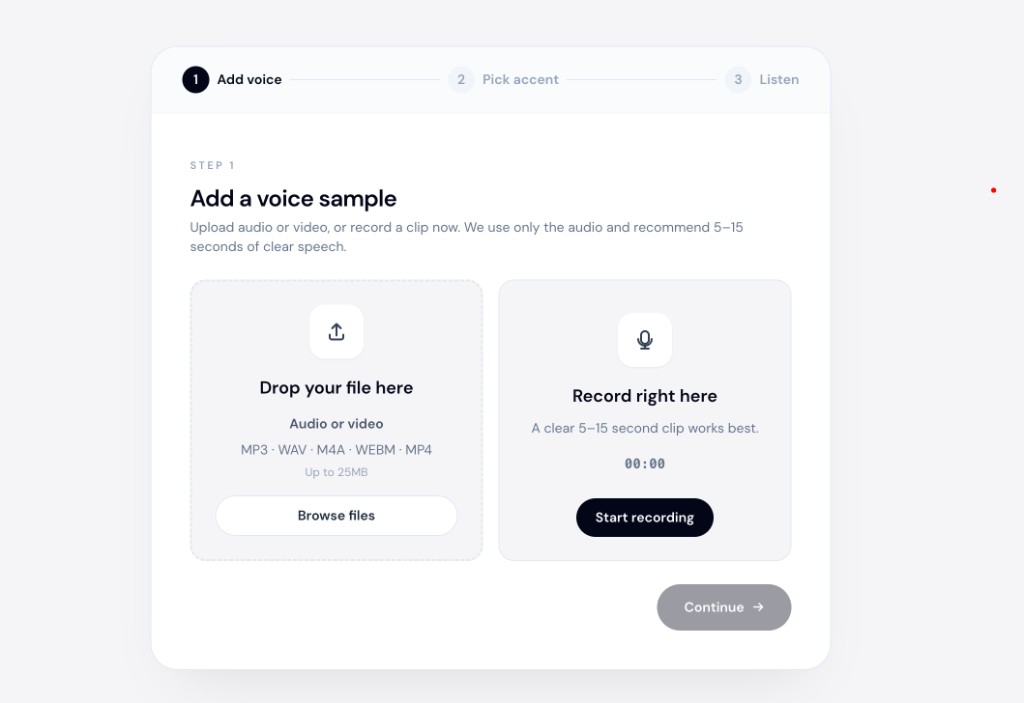
The dedicated American accent changer page covers target-accent options in more detail.
AI accent conversion vs accent coaching
| Speech-to-speech AI | Accent coach / classes | |
|---|---|---|
| Works on existing recordings | Yes | No — practice live |
| Instant preview | Yes | Weeks/months |
| Keeps your voice | Yes | Yes (you speak) |
| Teaches long-term habits | No | Yes |
AI conversion is a fast polish pass on a finished clip. Coaching builds lasting change. Apps like ELSA Speak focus on pronunciation drills and live feedback — excellent for long-term muscle memory, but they cannot reshape a WAV file you already exported.
Many people use both: convert a demo today, practice pronunciation over time.
Common mistakes
- Using TTS — you lose your performance; convert the recording instead
- Expecting perfect broadcast quality from a phone recording in a noisy cafe — source quality matters
- Confusing accent change with translation — same English words, different pronunciation
For Spanish-accented English toward American delivery, see make Spanish-accented English sound more native.
Bottom line
To change Indian English to American English on a recording: upload your audio, pick American as the target, preview, and download. Speech-to-speech AI keeps your voice while shifting pronunciation.
Try a short sample at accentchanger.com and compare before and after. For the identity-preserving workflow, see change accent and keep your voice.