Can AI fix pronunciation without cloning someone else's voice?
Accent Changer Team
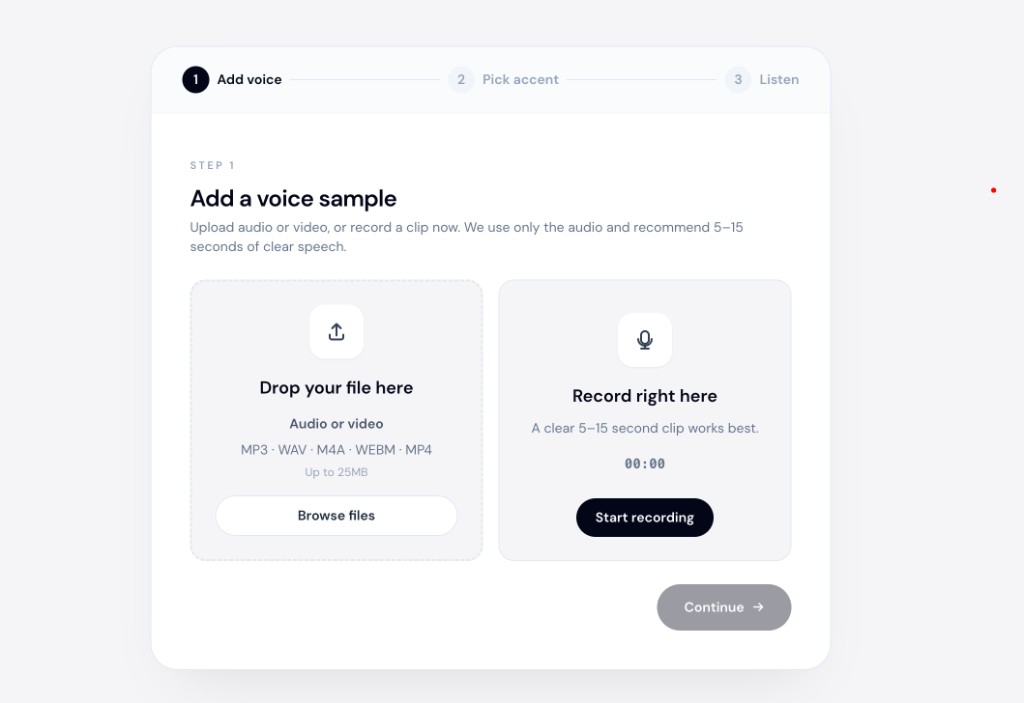
Yes. Modern speech-to-speech accent tools fix pronunciation on your recording without borrowing another person’s vocal identity. They adjust vowel placement, consonant clarity, and intonation toward a target accent profile — while trying to keep your timbre, pacing, and delivery.
That is fundamentally different from voice cloning, which copies a specific speaker’s texture so you sound like them. Accent conversion says: “same you, clearer pronunciation.” Cloning says: “sound like this other person.”
Pronunciation fix vs voice clone
| Accent conversion | Voice cloning | |
|---|---|---|
| Goal | Clearer target-accent delivery | Sound like a chosen speaker |
| Starting point | Your audio | Someone else’s voice model |
| Identity | Yours | Theirs |
| Typical use | Podcasts, lessons, demos | Dubbing, parody, character work |
If you want intelligibility for a US or UK audience — not to impersonate a celebrity — accent conversion is the right category.
What “fix pronunciation” means here
AI does not replace language coaching. It reshapes recorded delivery:
- Vowels — move toward the target accent’s typical shapes (e.g., clearer /ɑ/ vs /æ/ distinctions)
- Consonants — sharpen or soften sounds that mark a foreign accent
- Intonation — shift stress patterns without rewriting your script
- Rhythm — ideally preserved from your original timing
The words stay the same. The language stays the same. Only how the words sound changes.
Why people confuse it with cloning
Marketing blurs categories:
- Tools labeled “AI voice” often mean TTS narrators — a new voice, not yours fixed.
- “Voice changer” apps sometimes apply celebrity models — cloning by another name.
- Social demos highlight impressions, not identity-preserving accent work.
For pronunciation help on content you already recorded, look for speech-to-speech, accent conversion, or upload your audio in the workflow — not “pick a famous voice.”
When accent conversion is enough
Good fits:
- A course lesson that needs clearer British or American delivery
- A podcast segment aimed at an international audience
- A client demo where you want neutral English without re-recording
- Comparing how your script could sound with a target accent before committing to coaching
An accent reduction tool in the speech-to-speech category handles these cases — pronunciation polish, not identity swap.
Poor fits:
- You want to sound exactly like a specific actor
- You need live real-time coaching during a call (most browser tools work on files)
- Source audio is noisy, compressed, or has loud background music
How to try it without cloning
- Record a short, clear sample of your speech.
- Upload to a speech-to-speech accent tool.
- Choose a target accent profile, not a named celebrity voice.
- Listen: same timbre? clearer pronunciation?
accentchanger.com follows this model — your audio in, accent-adjusted audio out. No voice library to impersonate.
The change accent and keep your voice page describes the same boundary: adapt accent, keep speaker identity.
Quality checklist
- Quiet room, decent mic
- 30–90 seconds for a fair preview
- Single speaker on the track
- Headphones for A/B comparison with the original
Bottom line
AI can fix pronunciation without cloning someone else’s voice — when you use accent conversion on your recording. Cloning and TTS are different products solving different problems.
Upload a clip at accentchanger.com and check whether pronunciation improved while you still sound like yourself.